Genealogists spend a great deal of time collecting information, but we often have few tools to help us think visually about how that information connects. Last month, I gave a presentation introducing Scapple to one of the Seattle Genealogical Society Special Interest Groups (SIGs) that I lead. Several attendees commented afterwards that they could immediately see how it might help them organize complex genealogical problems. These comments echoed my reaction to Scapple when I first discovered it two years ago while I was attending Diahan Southard’s DNA Skills Workshop. I was searching for a tool that would help me visualize relationships between DNA matches by bringing together centimorgan data, genealogical records, and clues I discovered through social media. Once I began using Scapple, I was hooked.
Since then, I’ve discovered many more uses for it in my genealogical work. I now use it to organize both simple and complex relationships, plan presentations, design genealogy systems, and visualize research problems. In this post, I’ll introduce some of the ways I use Scapple in my genealogical work and explain why it’s become one of my favorite genealogy tools.
Scapple is a visual note-taking and idea-mapping application designed to help users think on an infinite virtual blank canvas. It was developed by Literature and Latte (the creators of the widely used writing tool, Scrivener). It was created as a flexible alternative to traditional mind-mapping software that typically requires users to start with a single central topic from which ideas branch outwards. Instead Scapple enables users to create mind maps with more than one central topic.
In Scapple, all notes are treated equally. You can place notes anywhere on the page, move them around freely, and connect them with lines and arrows as relationships become known or created. Notes can also contain lists, images, web links, and formatting such as colors and borders.
Uses for genealogists
Over the past two years, I’ve found Scapple useful in many different ways. Here are some of the ways I use it in my genealogical work:
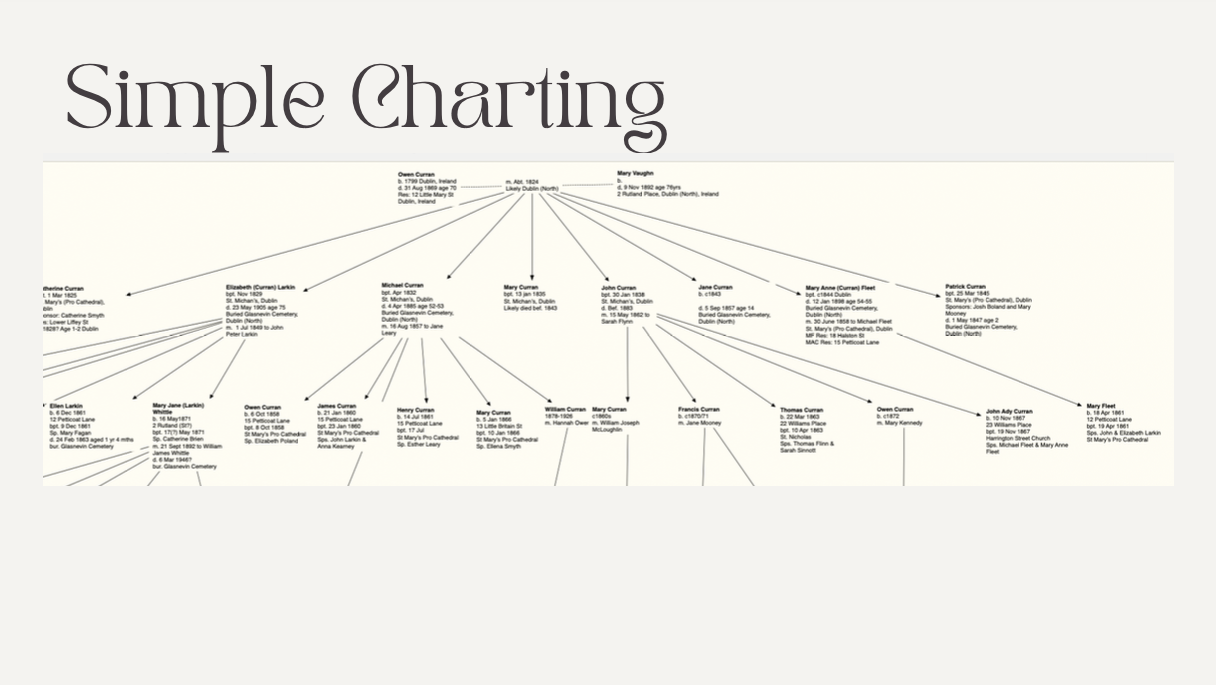
Simple charting - Create quick visual diagrams of small family groups or relationships
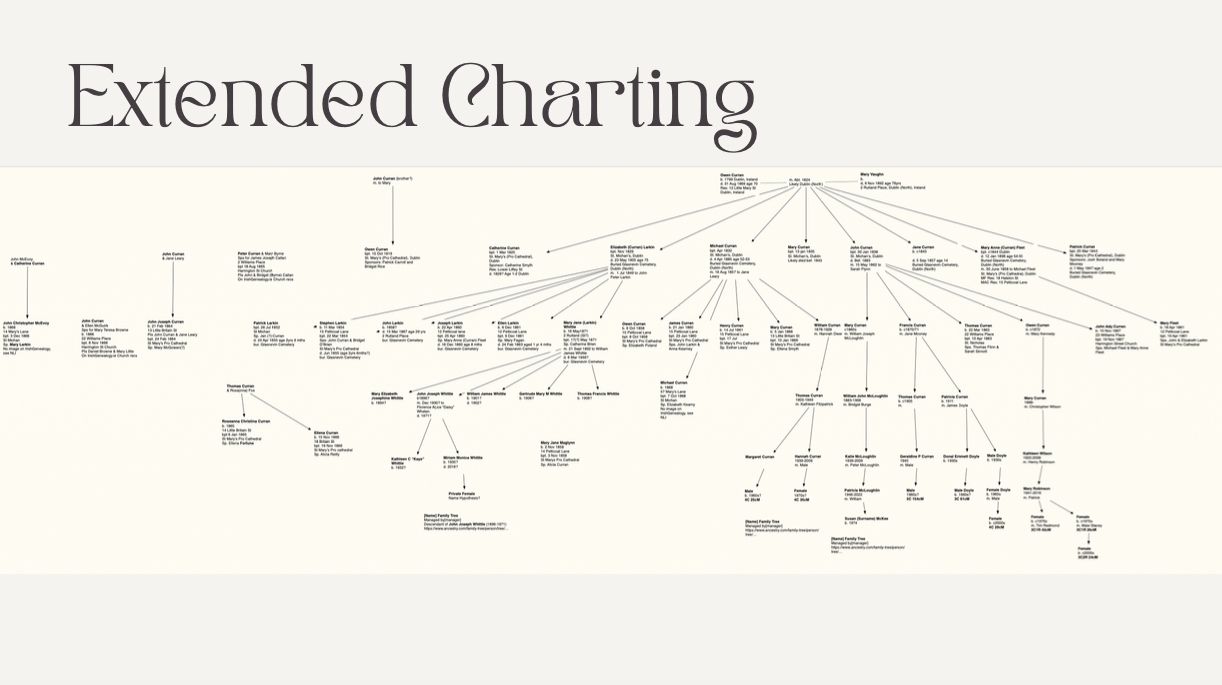
Extended charting - Build larger relationship maps spanning multiple generations, collateral lines, or FAN networks
Color coding generations - Apply colors to notes to distinguish generations, ancestral lines, or research status
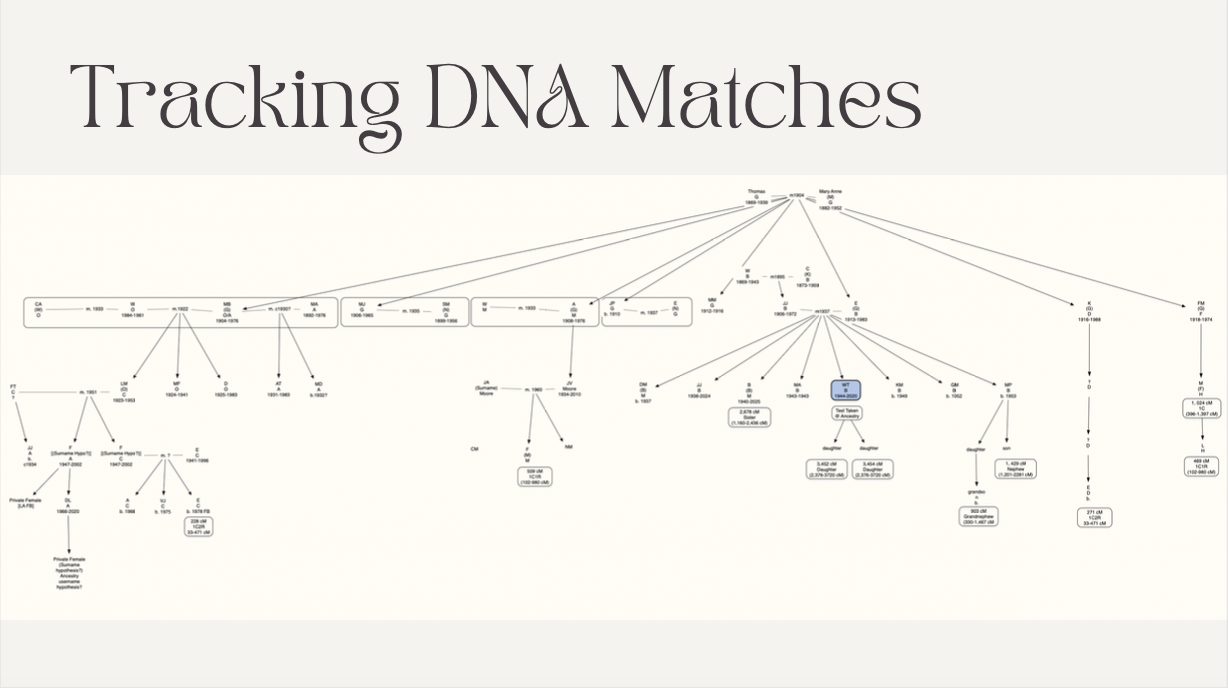
Tracking DNA matches - Group DNA matches by shared surnames, locations, or common ancestors
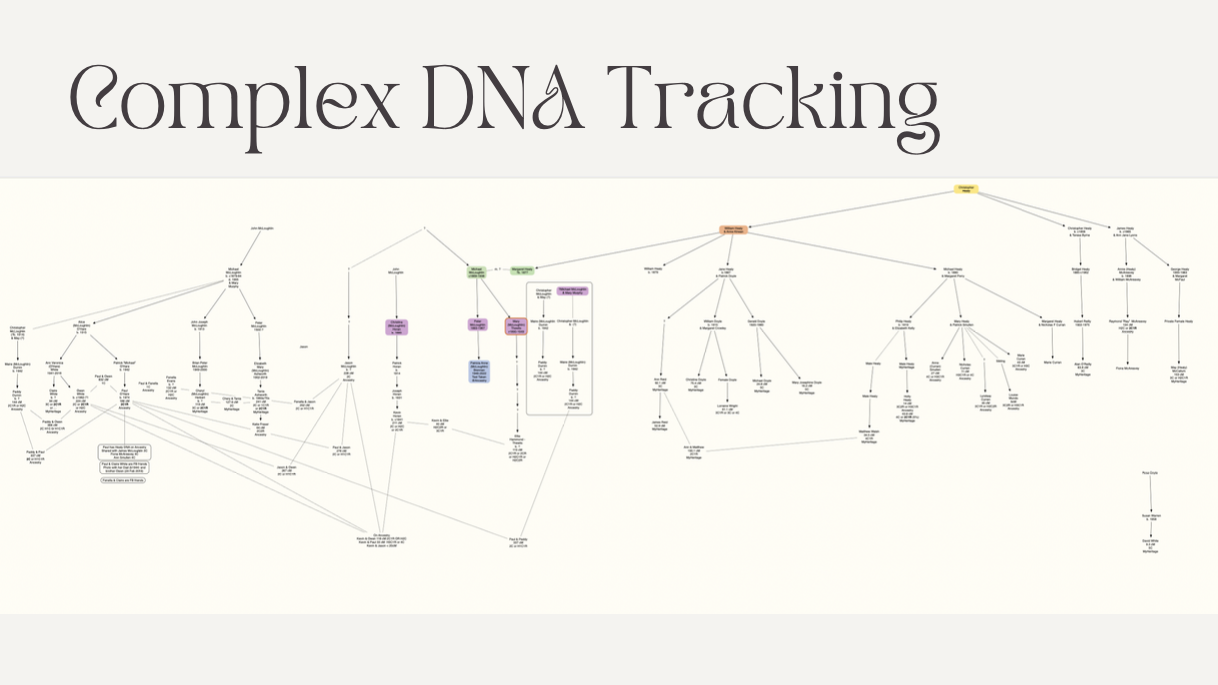
Complex DNA tracking - Visualize clusters, triangulated groups, segment information, and multiple descendant pathways
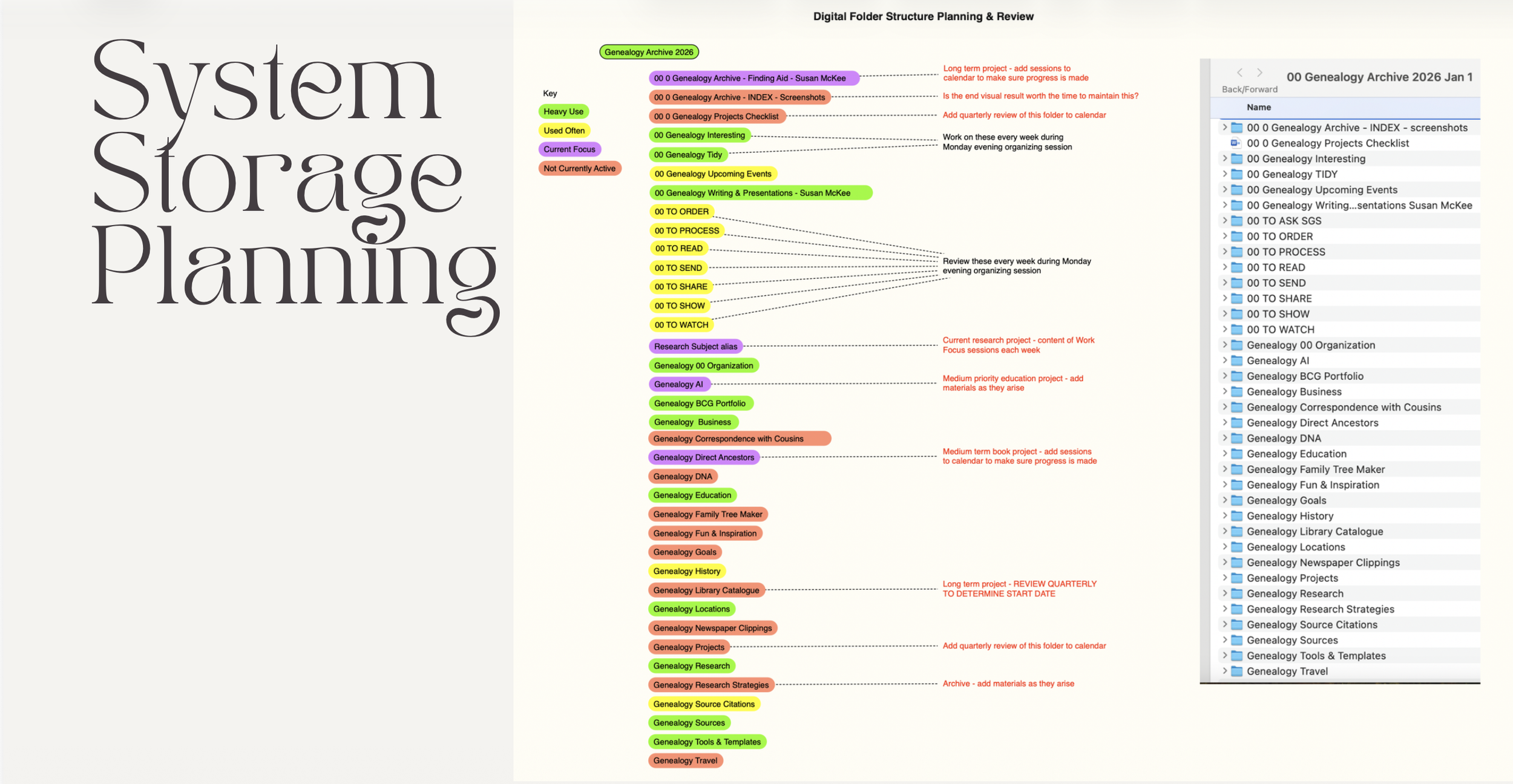
System storage planning - Sketch folder structures, workflows, and connections between digital and paper components of a genealogy system
Writing content/layout planning - Arrange topics, sections, images, and supporting material visually to experiment with the structure of articles, blog posts, reports, books, or other written projects
Course syllabus prep - Arrange topics, activities, and resources on a canvas to experiment with course structure
Presentation image design - Create simple visual diagrams to export as images for slides, handouts, or blog posts

As a thinking tool, Scapple’s strength lies in its flexibility. It allows you to capture ideas, evidence, and connections that emerge during your research process. It provides a canvas on which to capture your thoughts and findings in whatever way feels most natural to you. It is a particularly helpful tool during the early stages of problem-solving or when working through a complex genealogical question. If you prefer the fluidity of free-form mind mapping, Scapple is a low cost, low learning-curve tool worth trying out.
Current pricing and usage information:
Standard license: US$20.99 (one-time purchase)
Educational license: US$16.79 for students and academics who qualify
Free trial: a fully functional 30-day trial is available. Unusually, it is an active-use trial, meaning only days on which you open and use Scapple count toward the 30 days. If you use it once a week, the trial can last many months.
There is no ongoing subscription fee.
Licenses are purchased separately for macOS and Windows.
Scapple integrates well with Scrivener
Useful links
Scapple
https://www.literatureandlatte.com/scapple
Introduction to Scapple by Literature and Latte, 8 April 2013
https://www.youtube.com/watch?v=zvP6c7AFx_c (7:23 mins)
Scapple for Genealogists : A Tutorial by Britta Brewer (Genetic Genealogist), 26 June 2023
https://www.youtube.com/watch?v=cNuHKgX_f24 (16:57 mins)
Navigating Chaos: A Beginner's Guide into Scapple's Mind-Mapping Magic by Oliver Evensen, 13 November 2024
https://www.youtube.com/watch?v=f_eOSrsule4&t=157s (1:09:36 mins)
Scapple User Manuals
https://www.literatureandlatte.com/learn-and-support/user-guides
Direct link for Scapple Manual for Mac
https://www.literatureandlatte.com/docs/Scapple_Manual-Mac.pdf
Direct link for Scapple Manual for Windows
https://www.literatureandlatte.com/docs/Scapple_Manual-Win.pdf